Apply by 03 June & save up to ₹15K on UI UX Design Course fee. Limited spots!

Accelerate your career in User Interface & Experience (UI UX) Design and join the creative workforce. Learn user research, design thinking, wireframing, prototyping, Figma and much more. Work on real-world projects to build your professional portfolio. Secure your dream career with a Job Guarantee or avail full refund!


16%

ANNUAL INCREASE IN DEMAND FOR UX DESIGNERS by end-2022, more than for any other category (Indeed)

TOP 7

HIGH-INCOME SKILLS to learn
in 2023 (LinkedIn)

₹23.3 LAKHS

MICROSOFT’S AVG SALARY for
UI UX Designers with 10-yr
experience (Ambitionbox, 6 Apr 2023)

Download Brochure

Course highlights

Live Online
Classes

Get a unique classroom-like learning experience with interactive online UI UX Design sessions.

Learn from
experts

Lectures by leading faculties and dedicated mentorship by the best industry professionals from around the world

Guaranteed
placements

Our UI UX Design Courses come with best-in-class placement support/Job Guarantee

Professional
networking

Build a network of design professionals and make lifelong connections

Awards & Accolades

Forbes
Forbes India’s DGEMS 2025 – The Select 200
Education Award
Exceptional Vocational & Skill Development Platform 2025
Knowledge Review
India’s Best Design Institutes that Make Creative Minds, 2024

We’ve been recognised by The Economic Times as ‘Exceptional Vocational & Skill Development Platform 2025’

ET Award

We've been featured in ‘Forbes India’s DGEMS 2025 – The Select 200’

Forbes Award

Future job roles

UX
Designer
UI
Developer
UI
Designer
UX
Researcher
Product
Designer
Information
Architect
Interaction
Designer
UX
Designer
UI
Developer
UX
Researcher
Information
Architect
Interaction
Designer
Product
Designer
UI
Designer

Book A Demo Class

to find out why AND Academy is the Ultimate Place to Learn Design, where we combine the effectiveness of offline learning with the convenience of learning online.


  • Live, interactive online classes
  • Personalised feedback from expert mentors
  • Collaborative, hands-on learning environment
Calendar Icon

3 Jun | 7:00 – 9:00 PM (IST)

Shreyasree Ghosh

Shreyasree Ghosh

Founder, Designer and Content Creator at Style Every Story

Course structure

User Experience (UX) and User Interface (UI) Design employ design thinking to create human-centered digital products and interfaces. Used extensively in designing apps and websites, it is one of the most exciting and fastest-growing careers today. Our UI UX Design Courses are stackable - pursue a Certificate course, perfect for beginners, to learn the fundamentals and kickstart your design career; continue on to the UI UX Diploma course to become a master Designer; upskill further to earn a PG Diploma and get a Job Guarantee at competitive fees.

UI UX Certificate   7 MONTHS PART-TIME PLACEMENT SUPPORT

Elements & Principles of Visual Design

  • Organisational principles of composition
  • Type anatomy and application
  • Playing with type in space
  • Colour as a visual element
  • Information hierarchy & grouping
  • Composing type and image
  • Idea generation & development
  • Assignments:
    - Digital poster / social media post, and Website banner

Fundamentals of UI Design

  • Application of Grids
  • Type scale & typesetting
  • Application of Gestalt Theory in UI design
  • Introduction to Usability & Accessibility
  • Fidelity in UI design
  • Introduction to UI patterns & components
  • Micro-Interactions (Basics)
  • Converting a task-flow to screens
  • Introduction to UI Kit
  • Introduction to AI tool for image generation
  • Assignments-
    - Information display Screen Design, and
    - Blog page / Digital Newsletter / Emailer
  • Project 1
    - UI of an Ordering / Booking platform (Web / Mobile)
    Outcomes: Wireframes and User Interface design
  • Portfolio Kickstart
    - Introduction to portfolio-building
    - Portfolio examples

Fundamentals of UX

  • Empathy as a tool of design
  • Journey maps
  • How user takes a decision (mental model & cognitive load)
  • Introduction to usability heuristics
  • Functionality & features in UX
  • Thinking tools: Clustering / affinity diagramming & prioritisation grid
  • User Flow & Task flows,
  • Sitemap & Information Architecture
  • Role of content in UX strategy
  • Navigation in UX
  • Project 2: Product Breakdown:
    Outcome: Analysis of an existing Mobile / Web App
  • Project 3, Part-A:
    - UX Structure of a Mobile/web application to solve a real-world problem
    Outcomes: Journey map, task flows, sitemap & content inventory

UI UX DIPLOMA   1 YEAR PART-TIME PLACEMENT SUPPORT

Elements & Principles of Visual Design

  • Organisational principles of composition
  • Type anatomy and application
  • Playing with type in space
  • Colour as a visual element
  • Information hierarchy & grouping
  • Composing type and image
  • Idea generation & development
  • Assignments:
    - Digital poster / social media post, and Website banner

Fundamentals of UI Design

  • Application of Grids
  • Type scale & typesetting
  • Application of Gestalt Theory in UI design
  • Introduction to Usability & Accessibility
  • Fidelity in UI design
  • Introduction to UI patterns & components
  • Micro-Interactions (Basics)
  • Converting a task-flow to screens
  • Introduction to UI Kit
  • Introduction to AI tool for image generation
  • Assignments-
    - Information display Screen Design, and
    - Blog page / Digital Newsletter / Emailer
  • Project 1
    - UI of an Ordering / Booking platform (Web / Mobile)
    Outcomes: Wireframes and User Interface design
  • Portfolio Kickstart
    - Introduction to portfolio-building
    - Portfolio examples

Fundamentals of UX

  • Empathy as a tool of design
  • Journey maps
  • How user takes a decision (mental model & cognitive load)
  • Introduction to usability heuristics
  • Functionality & features in UX
  • Thinking tools: Clustering / affinity diagramming & prioritisation grid
  • User Flow & Task flows,
  • Sitemap & Information Architecture
  • Role of content in UX strategy
  • Navigation in UX
  • Project 2: Product Breakdown:
    Outcome: Analysis of an existing Mobile / Web App
  • Project 3, Part-A:
    - UX Structure of a Mobile/web application to solve a real-world problem
    Outcomes: Journey map, task flows, sitemap & content inventory

From Experience to Interface

  • From UX Flows to UI Screens - Iterative process
  • UI Pattern Libraries in Practice
  • UI Design principles
  • Atomic design
  • Mapping UX decisions (flow, hierarchy) to UI elements
  • Incorporating Micro-interactions & System Feedback
  • Using style guides, UI kits, and reusable components
  • Crafting prototypes & mock-ups
  • Presenting UX/UI case study effectively
  • Project 3, Part B:
    - Mobile/web application to solve a real-world problem
    Outcomes: Wireframes and User Interface design

User Centred Design (UCD) Process

  • Introduction to Research Methods & Tools
  • User research for gathering requirements
  • Representing Research findings
  • Application of UX Design principles and tools for UCD
  • Application of methodical design process
  • Introduction to user testing & usability testing
  • Revisiting & Advancing Interaction Design fundamentals
  • Project 4:
    - An end-to-end project to design a Mobile App to solve a real-world problem
    Outcomes: Research, UX structure (Flows & Information Architecture), Wireframes, User Interface design, and Prototype

Portfolio Development

  • Best practices for portfolio-building
  • Portfolio examples

UX UI PG DIPLOMA   15 MONTHS PART-TIME JOB GUARANTEE

TERM 1

Elements & Principles of Visual Design

  • Organisational principles of composition
  • Type anatomy and application
  • Playing with type in space
  • Colour as a visual element
  • Information hierarchy & grouping
  • Composing type and image
  • Idea generation & development
  • Assignments:
    - Digital poster / social media post, and Website banner

Fundamentals of UI Design

  • Application of Grids
  • Type scale & typesetting
  • Application of Gestalt Theory in UI design
  • Introduction to Usability & Accessibility
  • Fidelity in UI design
  • Introduction to UI patterns & components
  • Micro-Interactions (Basics)
  • Converting a task-flow to screens
  • Introduction to UI Kit
  • Introduction to AI tool for image generation
  • Assignments-
    - Information display Screen Design, and
    - Blog page / Digital Newsletter / Emailer
  • Project 1
    - UI of an Ordering / Booking platform (Web / Mobile)
    Outcomes: Wireframes and User Interface design
  • Portfolio Kickstart
    - Introduction to portfolio-building
    - Portfolio examples

TERM 2

Fundamentals of UX

  • Empathy as a tool of design
  • Journey maps
  • How user takes a decision (mental model & cognitive load)
  • Introduction to usability heuristics
  • Functionality & features in UX
  • Thinking tools: Clustering / affinity diagramming & prioritisation grid
  • User Flow & Task flows,
  • Sitemap & Information Architecture
  • Role of content in UX strategy
  • Navigation in UX
  • Project 2: Product Breakdown:
    Outcome: Analysis of an existing Mobile / Web App
  • Project 3, Part-A:
    - UX Structure of a Mobile/web application to solve a real-world problem
    Outcomes: Journey map, task flows, sitemap & content inventory

From Experience to Interface

  • From UX Flows to UI Screens - Iterative process
  • UI Pattern Libraries in Practice
  • UI Design principles
  • Atomic design
  • Mapping UX decisions (flow, hierarchy) to UI elements
  • Incorporating Micro-interactions & System Feedback
  • Using style guides, UI kits, and reusable components
  • Crafting prototypes & mock-ups
  • Presenting UX/UI case study effectively
  • Project 3, Part B:
    - Mobile/web application to solve a real-world problem
    Outcomes: Wireframes and User Interface design

User Centred Design (UCD) Process

  • Introduction to Research Methods & Tools
  • User research for gathering requirements
  • Representing Research findings
  • Application of UX Design principles and tools for UCD
  • Application of methodical design process
  • Introduction to user testing & usability testing
  • Revisiting & Advancing Interaction Design fundamentals
  • Project 4:
    - An end-to-end project to design a Mobile App to solve a real-world problem
    Outcomes: Research, UX structure (Flows & Information Architecture), Wireframes, User Interface design, and Prototype

Portfolio Development

  • Best practices for portfolio-building
  • Portfolio examples

TERM 3

Website Design Project

  • Understanding “content-based” websites
  • Anatomy of key web pages (Home, About, Gallery, Visit Info, Contact)
  • Introduction to brand communication & narrative
  • Basics of visual branding (logo, typography, color palette, imagery)
  • Communication Strategy & Visual Rhetorics
  • Combining Business objectives & user goals
  • Introduction to responsive breakpoints (desktop, tablet, mobile)
  • Using AI tools for various stages of design process
  • Using AI tools for image and graphic generation
  • Project 5:
    - Promotional Website or Content-based Website
    Outcomes: Narrative, UX structure (Flows & Information Architecture), User Interface & visual design, and Prototype

Portfolio Critique by Industry Expert

Project Management for Creatives

  • Project Tracking & Reporting
  • Time & Task Management
  • Professional Communication

Elements & Principles of Visual Design

  • Organisational principles of composition
  • Type anatomy and application
  • Playing with type in space
  • Colour as a visual element
  • Information hierarchy & grouping
  • Composing type and image
  • Idea generation & development
  • Assignments:
    - Digital poster / social media post, and Website banner

Fundamentals of UI Design

  • Application of Grids
  • Type scale & typesetting
  • Application of Gestalt Theory in UI design
  • Introduction to Usability & Accessibility
  • Fidelity in UI design
  • Introduction to UI patterns & components
  • Micro-Interactions (Basics)
  • Converting a task-flow to screens
  • Introduction to UI Kit
  • Introduction to AI tool for image generation
  • Assignments-
    - Information display Screen Design, and
    - Blog page / Digital Newsletter / Emailer
  • Project 1
    - UI of an Ordering / Booking platform (Web / Mobile)
    Outcomes: Wireframes and User Interface design
  • Portfolio Kickstart
    - Introduction to portfolio-building
    - Portfolio examples

Fundamentals of UX

  • Empathy as a tool of design
  • Journey maps
  • How user takes a decision (mental model & cognitive load)
  • Introduction to usability heuristics
  • Functionality & features in UX
  • Thinking tools: Clustering / affinity diagramming & prioritisation grid
  • User Flow & Task flows,
  • Sitemap & Information Architecture
  • Role of content in UX strategy
  • Navigation in UX
  • Project 2: Product Breakdown:
    Outcome: Analysis of an existing Mobile / Web App
  • Project 3, Part-A:
    - UX Structure of a Mobile/web application to solve a real-world problem
    Outcomes: Journey map, task flows, sitemap & content inventory

Certificate Course


Elements & Principles of Visual Design

  • Organisational principles of composition
  • Type anatomy and application
  • Playing with type in space
  • Colour as a visual element
  • Information hierarchy & grouping
  • Composing type and image
  • Idea generation & development
  • Assignments:
    - Digital poster / social media post, and Website banner

Fundamentals of UI Design

  • Application of Grids
  • Type scale & typesetting
  • Application of Gestalt Theory in UI design
  • Introduction to Usability & Accessibility
  • Fidelity in UI design
  • Introduction to UI patterns & components
  • Micro-Interactions (Basics)
  • Converting a task-flow to screens
  • Introduction to UI Kit
  • Introduction to AI tool for image generation
  • Assignments-
    - Information display Screen Design, and
    - Blog page / Digital Newsletter / Emailer
  • Project 1
    - UI of an Ordering / Booking platform (Web / Mobile)
    Outcomes: Wireframes and User Interface design
  • Portfolio Kickstart
    - Introduction to portfolio-building
    - Portfolio examples

Fundamentals of UX

  • Empathy as a tool of design
  • Journey maps
  • How user takes a decision (mental model & cognitive load)
  • Introduction to usability heuristics
  • Functionality & features in UX
  • Thinking tools: Clustering / affinity diagramming & prioritisation grid
  • User Flow & Task flows,
  • Sitemap & Information Architecture
  • Role of content in UX strategy
  • Navigation in UX
  • Project 2: Product Breakdown:
    Outcome: Analysis of an existing Mobile / Web App
  • Project 3, Part-A:
    - UX Structure of a Mobile/web application to solve a real-world problem
    Outcomes: Journey map, task flows, sitemap & content inventory

From Experience to Interface

  • From UX Flows to UI Screens - Iterative process
  • UI Pattern Libraries in Practice
  • UI Design principles
  • Atomic design
  • Mapping UX decisions (flow, hierarchy) to UI elements
  • Incorporating Micro-interactions & System Feedback
  • Using style guides, UI kits, and reusable components
  • Crafting prototypes & mock-ups
  • Presenting UX/UI case study effectively
  • Project 3, Part B:
    - Mobile/web application to solve a real-world problem
    Outcomes: Wireframes and User Interface design

User Centred Design (UCD) Process

  • Introduction to Research Methods & Tools
  • User research for gathering requirements
  • Representing Research findings
  • Application of UX Design principles and tools for UCD
  • Application of methodical design process
  • Introduction to user testing & usability testing
  • Revisiting & Advancing Interaction Design fundamentals
  • Project 4:
    - An end-to-end project to design a Mobile App to solve a real-world problem
    Outcomes: Research, UX structure (Flows & Information Architecture), Wireframes, User Interface design, and Prototype

Portfolio Development

  • Best practices for portfolio-building
  • Portfolio examples

Elements & Principles of Visual Design

  • Organisational principles of composition
  • Type anatomy and application
  • Playing with type in space
  • Colour as a visual element
  • Information hierarchy & grouping
  • Composing type and image
  • Idea generation & development
  • Assignments:
    - Digital poster / social media post, and Website banner

Fundamentals of UI Design

  • Application of Grids
  • Type scale & typesetting
  • Application of Gestalt Theory in UI design
  • Introduction to Usability & Accessibility
  • Fidelity in UI design
  • Introduction to UI patterns & components
  • Micro-Interactions (Basics)
  • Converting a task-flow to screens
  • Introduction to UI Kit
  • Introduction to AI tool for image generation
  • Assignments-
    - Information display Screen Design, and
    - Blog page / Digital Newsletter / Emailer
  • Project 1
    - UI of an Ordering / Booking platform (Web / Mobile)
    Outcomes: Wireframes and User Interface design
  • Portfolio Kickstart
    - Introduction to portfolio-building
    - Portfolio examples

Fundamentals of UI Design

  • Application of Grids
  • Type scale & typesetting
  • Application of Gestalt Theory in UI design
  • Introduction to Usability & Accessibility
  • Fidelity in UI design
  • Introduction to UI patterns & components
  • Micro-Interactions (Basics)
  • Converting a task-flow to screens
  • Introduction to UI Kit
  • Introduction to AI tool for image generation
  • Assignments-
    - Information display Screen Design, and
    - Blog page / Digital Newsletter / Emailer
  • Project 1
    - UI of an Ordering / Booking platform (Web / Mobile)
    Outcomes: Wireframes and User Interface design
  • Portfolio Kickstart
    - Introduction to portfolio-building
    - Portfolio examples

From Experience to Interface

  • From UX Flows to UI Screens - Iterative process
  • UI Pattern Libraries in Practice
  • UI Design principles
  • Atomic design
  • Mapping UX decisions (flow, hierarchy) to UI elements
  • Incorporating Micro-interactions & System Feedback
  • Using style guides, UI kits, and reusable components
  • Crafting prototypes & mock-ups
  • Presenting UX/UI case study effectively
  • Project 3, Part B:
    - Mobile/web application to solve a real-world problem
    Outcomes: Wireframes and User Interface design

From Experience to Interface

  • From UX Flows to UI Screens - Iterative process
  • UI Pattern Libraries in Practice
  • UI Design principles
  • Atomic design
  • Mapping UX decisions (flow, hierarchy) to UI elements
  • Incorporating Micro-interactions & System Feedback
  • Using style guides, UI kits, and reusable components
  • Crafting prototypes & mock-ups
  • Presenting UX/UI case study effectively
  • Project 3, Part B:
    - Mobile/web application to solve a real-world problem
    Outcomes: Wireframes and User Interface design

Portfolio Development

  • Best practices for portfolio-building
  • Portfolio examples

Website Design Project

  • Understanding “content-based” websites
  • Anatomy of key web pages (Home, About, Gallery, Visit Info, Contact)
  • Introduction to brand communication & narrative
  • Basics of visual branding (logo, typography, color palette, imagery)
  • Communication Strategy & Visual Rhetorics
  • Combining Business objectives & user goals
  • Introduction to responsive breakpoints (desktop, tablet, mobile)
  • Using AI tools for various stages of design process
  • Using AI tools for image and graphic generation
  • Project 5:
    - Promotional Website or Content-based Website
    Outcomes: Narrative, UX structure (Flows & Information Architecture), User Interface & visual design, and Prototype

Website Design Project

  • Understanding “content-based” websites
  • Anatomy of key web pages (Home, About, Gallery, Visit Info, Contact)
  • Introduction to brand communication & narrative
  • Basics of visual branding (logo, typography, color palette, imagery)
  • Communication Strategy & Visual Rhetorics
  • Combining Business objectives & user goals
  • Introduction to responsive breakpoints (desktop, tablet, mobile)
  • Using AI tools for various stages of design process
  • Using AI tools for image and graphic generation
  • Project 5:
    - Promotional Website or Content-based Website
    Outcomes: Narrative, UX structure (Flows & Information Architecture), User Interface & visual design, and Prototype

Student work

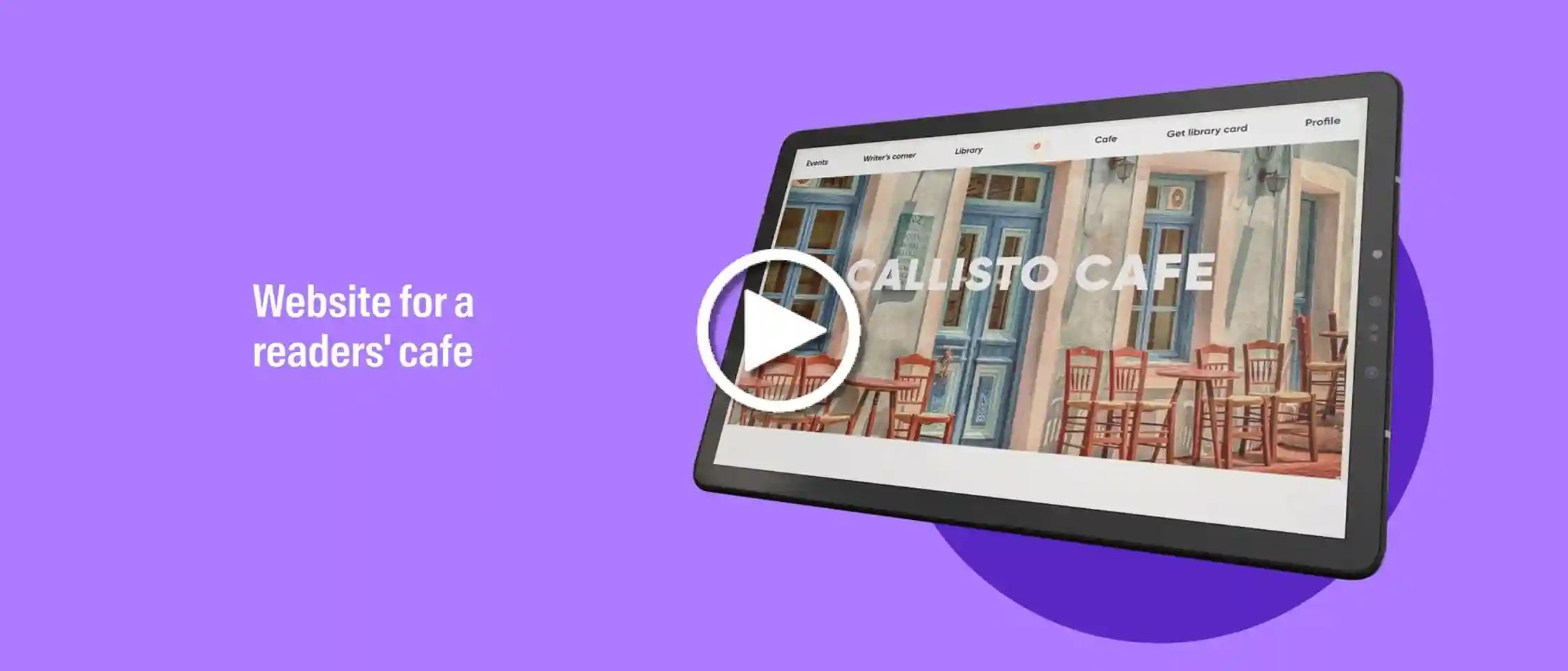
Here’s a glimpse of what our UI UX Design learners have created on their journey to building industry-ready portfolios.
Success stories

Our UI UX Design Course graduates have been hired by leading design studios and brands.

Priyam Gupta

Diploma in UI UX Design

HIRED BY

AND's career support helped me understand where I truly want to position myself in the future. I learned how to craft eye-catching resumes, communicate effectively in interviews while confidently presenting my ideas.

Vivek Sinha

PG Diploma in UI UX Design

HIRED BY

It’s a thorough course that teaches you everything from the ground up. Everything I’ve learned so far, I have been able to apply it in my job roles. With AND I've been relearning and rebuilding my base, but even better.


Gurneet Kaur

PG Diploma in UX UI Design

HIRED BY

The time-to-time review sessions, the encouragement to step out of our comfort zones, Prachi ma'am's bittersweet tough love, and the consistent support during setbacks—all of these aspects have been instrumental in my growth.


Priya Patel

PG Diploma in UX UI Design

HIRED BY

My best experience was finding a beautiful community of designers here, which I am truly happy with. Eventually, they became friends, making the journey fun and satisfying because I could make friends while learning.

Piyush Sharma

Diploma in UX UI Design

HIRED BY

I believe it was a truly valuable experience. I've been with AND for about a year now, with numerous ups and downs, but ultimately, it has been incredibly rewarding.

Mohd. Misbah

Diploma in UX UI Design

HIRED BY

Being interactive, collaborative, and having faculty with great experience have been instrumental in my learning journey. I'm grateful for the engaging environment and the expertise of the faculty, which have enriched my experience.

Veda Parapurath

Diploma in UX UI Design

HIRED BY

The teaching method and syllabus were excellent, unlike the mundane memorization approach. All the teachers were highly professional and provided great feedback. The CSD classes were useful.


Aromal Jose Baby

Diploma in UX UI Design

HIRED BY

The classes were engaging, never dull. The hands-on learning method made learning UX UI Design incredibly effective for me.

Diksha Dhar

PG Diploma in UI UX Design

HIRED BY

This course has helped me in my marketing business by enhancing my understanding of design & user perspective. Mentors were always available whenever I needed help and my growth since last year is consistent & amazing.


Software & Training

figma
Adobe Illustrator
Adobe InDesign
Miro

Not sure about which
programme to pick ?

CONSULT CAREER ADVISORS