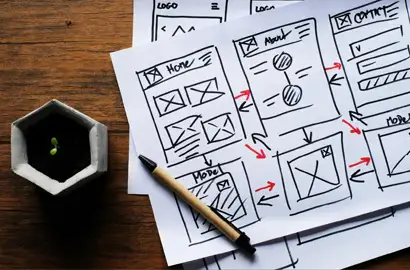


Fidelity in UI/UX design refers to the level of detail and functionality represented in a design prototype or mockup. It determines how closely a design resembles the final product in terms of visual appearance, interactivity, and content.
Designers use different fidelity levels throughout the design process to validate ideas, test functionality, and communicate concepts effectively. Lower fidelity designs enable quick iterations and broad concept exploration, while higher fidelity designs provide realistic user experiences for detailed testing.
Resolution
Resolution specifically relates to image quality and pixel density.
Understanding the different fidelity levels helps designers choose the appropriate approach for each stage of the design process. Each level serves specific purposes and offers unique advantages for design exploration and validation. The different fidelity levels in UI UX Design are:
Fidelity plays an important role in shaping how ideas move from concept to final product. It helps designers control the level of detail shown at each stage, ensuring the right focus and feedback. Here’s what it brings in:
In short, fidelity ensures smoother communication, smarter design decisions, and a more user-centric final product.
Note: All information and/or data from external sources is believed to be accurate as of the date of publication.
Consult Course Advisors

Hire Our Graduate / Upskill Your Team
Become An Instructor